 Dietbot
Calorie counter for iPhone
Just say what you ate.
Dietbot turns a quick sentence, a photo of your plate or a barcode into foods with portions and calories. Private, on-device, no account needed.
Requires iOS 27. Photo recognition and Ask Dietbot use Apple Intelligence. Available in English.
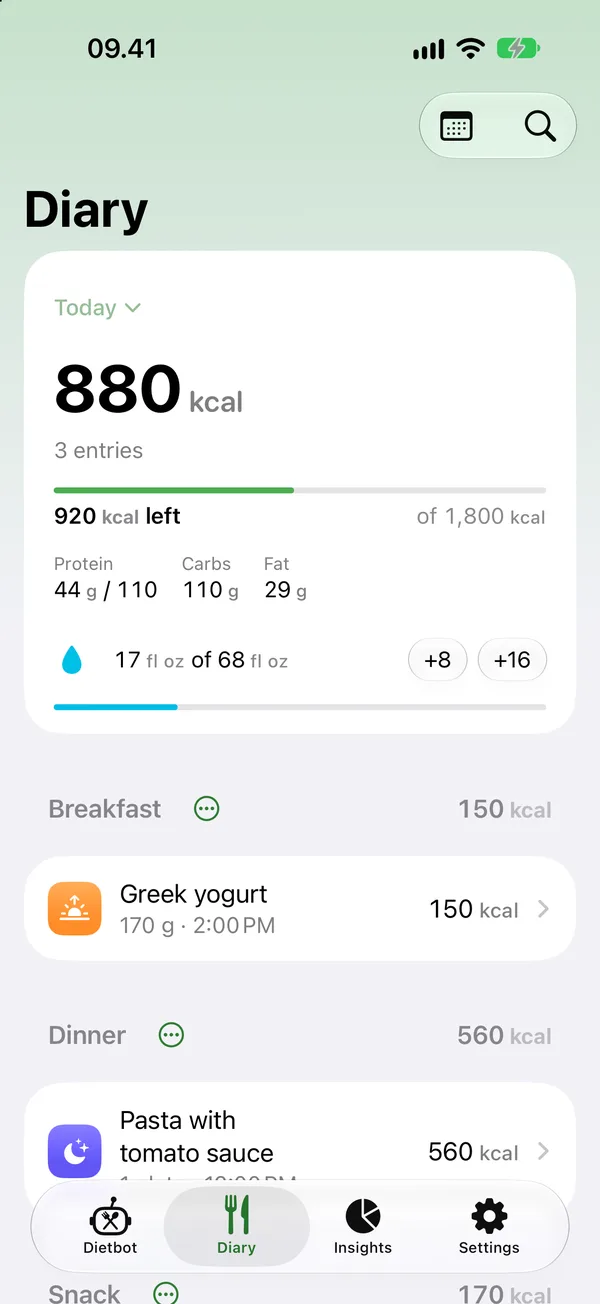
How it works
Logging a meal takes about five seconds.
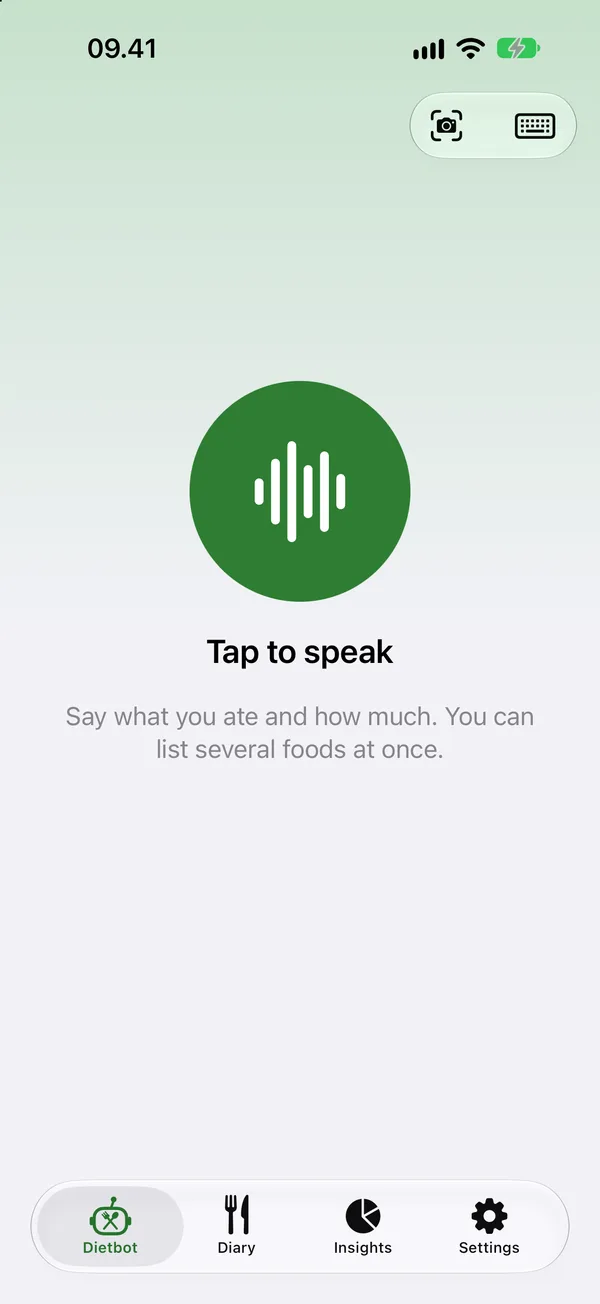
Tap and talk
Open Dietbot and tap to speak. List everything at once, the way you'd tell a friend.
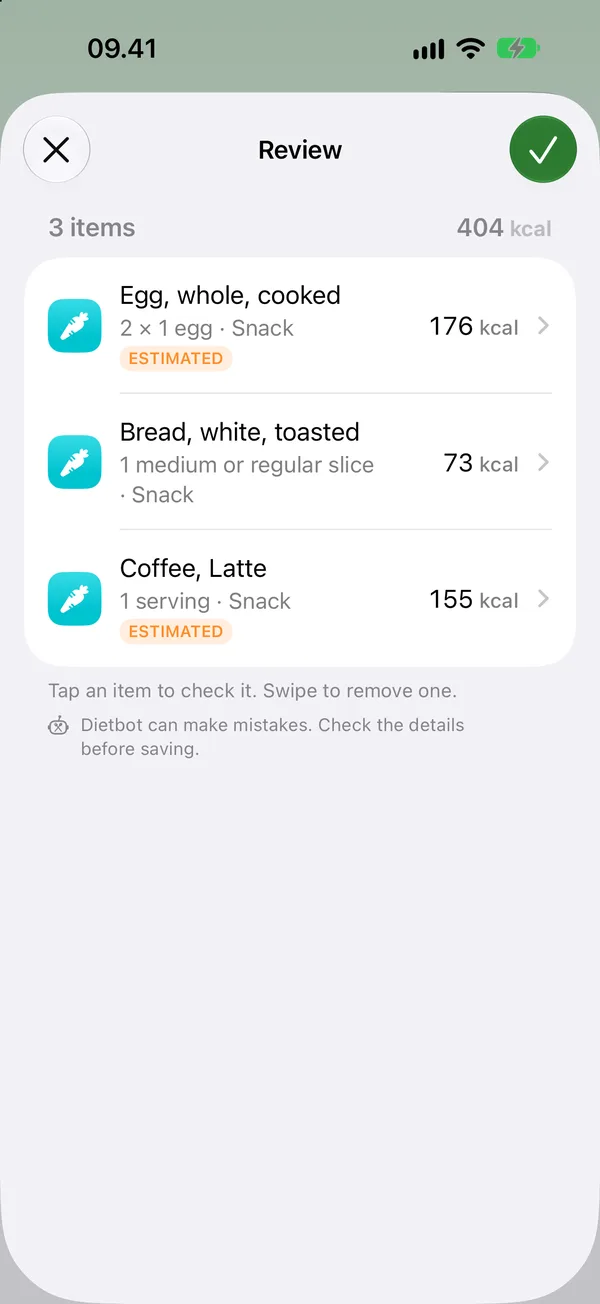
Check and save
Dietbot finds each food, the portion and the meal. Fix anything with a tap, then save.
See your day
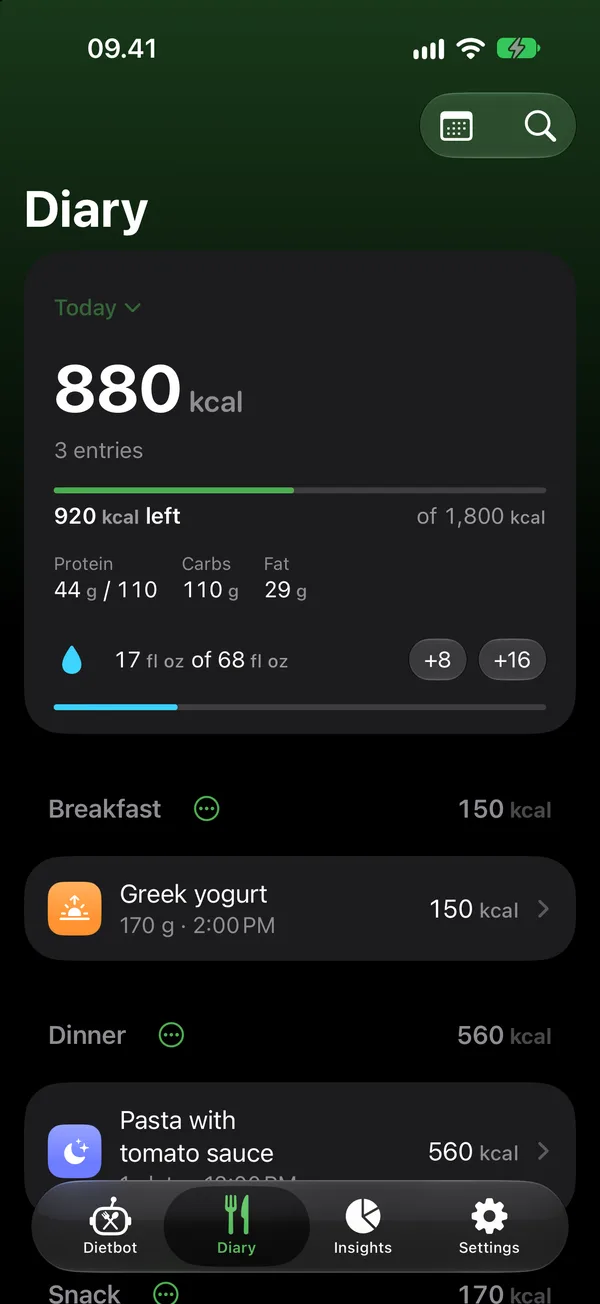
A summary shows what you added and where you stand against today's target.
Three ways to log
However you remember it, Dietbot gets it down.
Speak Default
Tap to speak and describe a whole meal in one sentence. Dietbot hears when you're done.
Scan
Snap your plate and Dietbot lists each food it sees. Or scan a barcode or a nutrition label on packaged food.
Type
Search 160,000+ foods, or pick from Recents and Favorites. Tap ⓘ to see the details of any food.
Whatever you choose, every entry opens in a review screen first. Everyday words like “eggs”, “rice” or “latte” pick the right food on their own.
Scan
Snap your plate. Dietbot sees what's on it.
Point the camera at your meal and press the shutter. Apple Intelligence names each dish right on your iPhone, and Dietbot matches it to the food database.
- Several foods in one photo, from a full breakfast to a bento box.
- Barcodes are read the moment the camera sees them.
- Nutrition labels fill in calories, protein, carbs and fat for you.
- Photos from your library work too, even ones you took earlier.
- Portions from a photo are marked as estimates for you to confirm.

Photo: “Nori bento with grilled salmon lunch box of Lawson”, Wikimedia Commons, CC0.
Your targets
Your numbers. Your rules.
Dietbot doesn't guess what you should eat. You set the target, like setting an alarm, and Dietbot keeps count.
- A daily calorie target, with protein, carbs and fat if you want them.
- Weekly schedules: a lighter target on weekdays, a bigger one on weekends.
- Change just one day without touching the rest.
- Meals sort themselves by the time of day, or by what you say.
Insights
See how your week really went.
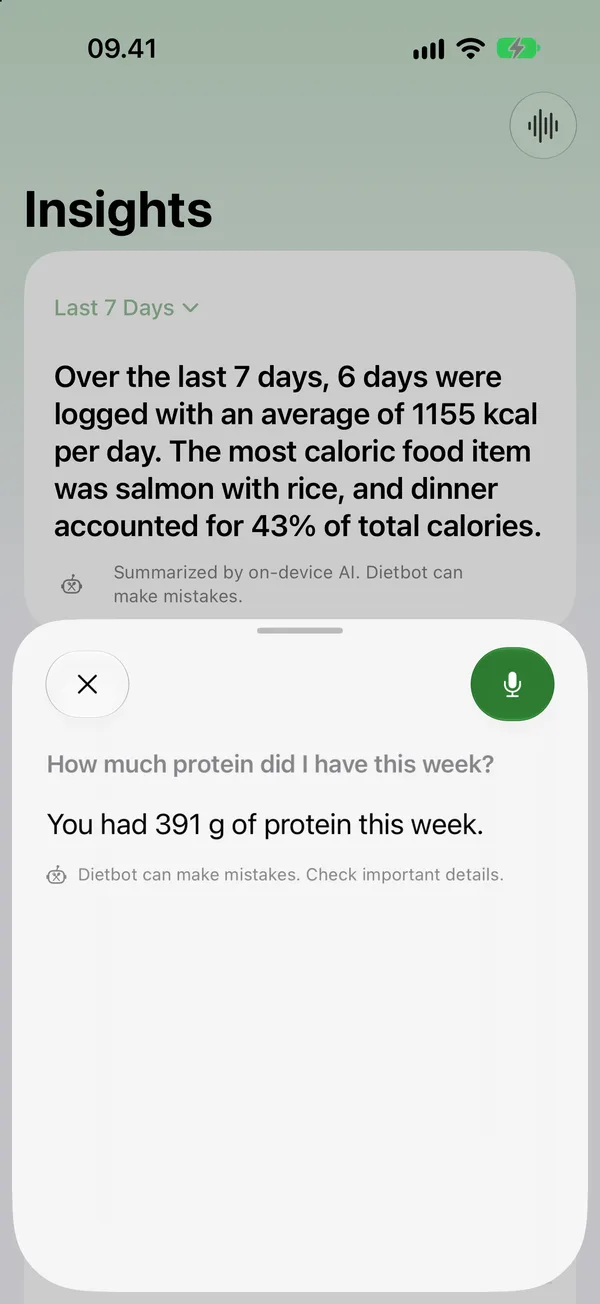
- A summary written for you by Apple Intelligence, from your own log.
- Days at or under target, your daily average and your streak.
- By meal and macros: where your calories come from.
- Weight and intake side by side, plus water.
- Any range: the last 7 days, a week, a month or your own dates.
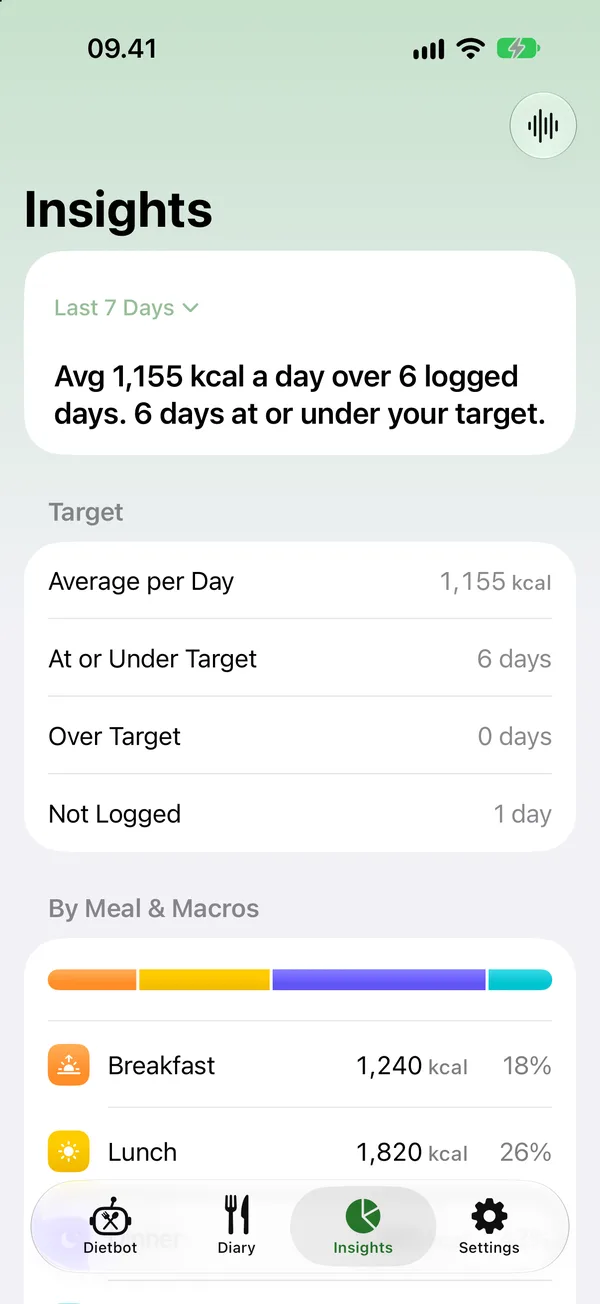
Ask Dietbot
Ask about your diet. Out loud.
Tap the waveform in Insights and ask. Answers come from your own log, worked out on your iPhone.
Beyond food
Water, weight and Apple Health.
Water in one tap
Add a glass from the Diary, and calorie-free drinks like tea and black coffee count too.
Weight and waist
Log them when you like and see your progress next to what you eat.
Apple Health
Optional. Food, water and weight go to Health, and weight from your scale comes back.
Privacy
What you eat stays yours.
No account
No email, no sign-up, no password.
On device
Speech, photos and AI are processed on your iPhone. We have no servers.
Your iCloud
Back up through your private iCloud, or keep everything on this iPhone.
Health stays private
Health data is never sent anywhere or used for ads.
Works offline
Log, search, scan and ask without a connection.
Export your food log to CSV anytime, and lock the app with Face ID. Read the Privacy Policy.
Built into your iPhone
Log without even opening the app.
Siri & Shortcuts
“Log a meal in Dietbot.”
Widgets
Today's calories on your Home and Lock Screen.
Control Center
Start speaking or scanning with one tap.
Action Button
Press and say what you ate.
Light & Dark
Both appearances and adjustable text size.
Pricing
Free to try. Pro when you're ready.
Every feature is free for 14 days of logging each month. Dietbot Pro removes the limit.
Free
$0
14 days of logging a month, every feature.
Pro Monthly
$1.99
per month, unlimited logging.
Pro Yearly
$19.99
per year, unlimited logging.
Pro Lifetime
$69.99
one-time purchase.
Prices in U.S. dollars; the App Store shows the price in your country. Subscriptions renew until cancelled in your Apple Account settings.
FAQ
Questions, answered.
Which iPhones and languages does Dietbot support?
Any iPhone with iOS 27. Dietbot is in English. Recognizing foods in a photo, understanding longer sentences and Ask Dietbot use Apple Intelligence; without it, Dietbot still logs food with its built-in parser, barcodes and nutrition labels.
Do I need an account?
No. Open the app and start. There's no sign-up, no email and no password.
Is my data sent anywhere?
No. Speech, photo recognition and Apple Intelligence run on your iPhone, and the food database is built in. Your food log stays on your devices and, if you turn on iCloud Backup, in your private iCloud. Dietbot has no servers.
Does Dietbot work offline?
Yes. Logging, searching, scanning and Ask Dietbot all work without a connection. Only the optional iCloud Backup uses the internet.
Where does the nutrition data come from?
From USDA FoodData Central, more than 160,000 foods built into the app. You can add your own foods or read a nutrition label with Scan.
How does Dietbot know which meal it was?
If you say it (“for lunch”), Dietbot uses that. Otherwise it follows the time: breakfast from 4:00, lunch from 11:00, a snack from 15:00, dinner from 18:00 and a late snack from 23:00. You can change it on the review screen.
What if Dietbot gets something wrong?
Everything opens in a review screen before it's saved. Pick another food, change the portion or the meal, or remove an item with a swipe. Portions from a photo are always marked as estimates.
Does Dietbot work with Apple Health?
Yes, if you turn it on. Food energy, protein, carbs, fat, water and weight you log are added to Apple Health, and weight from other apps shows in Dietbot.
Does Dietbot give diet or medical advice?
No. You set your own calorie and macro targets, and Dietbot logs what you eat and adds it up. Talk to a health professional about what's right for you.
How much does it cost?
Every feature is free for 14 days of logging each month. Dietbot Pro removes the limit for $1.99 a month, $19.99 a year or $69.99 once, in U.S. dollars; the App Store shows your local price.
More answers on the Support page, or email support@dietbot.fit.

Stop counting. Start talking.
Dietbot is almost ready for the App Store. Want a heads-up when it launches?